Case Study - Modernizing workflows for 150+ agencies
A user-centered redesign to streamline executive staffing across government.
- Project
- Executive Schedule C System
- Year
- Service
- UX, Modernization, Web development
Overview
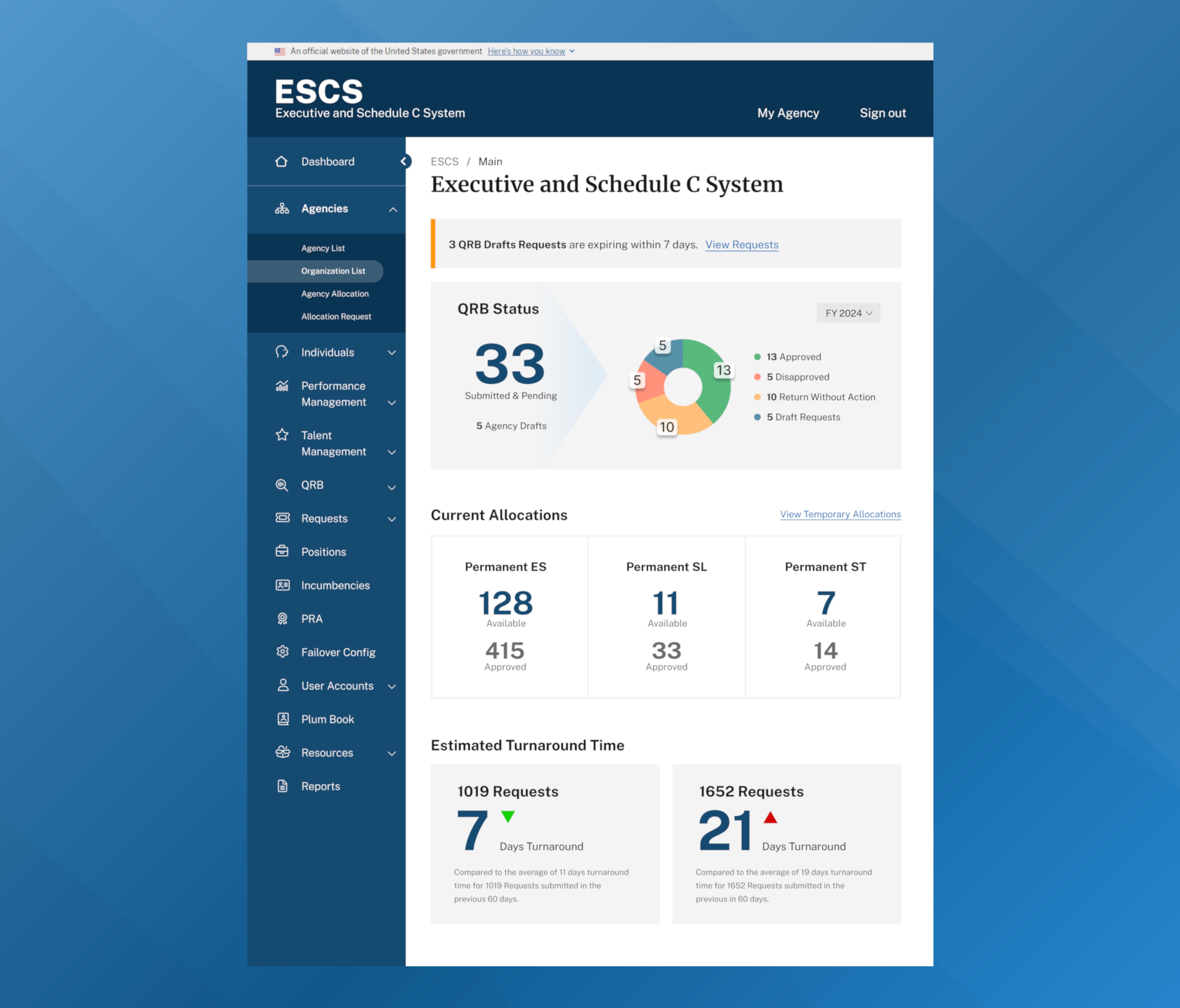
The Executive Schedule C System (ESCS) is a secure online platform used to manage personnel appointments across more than 150 federal agencies. With over 500 active users, the system plays a crucial role in facilitating timely and compliant staffing actions. However, prior to modernization, the application faced significant usability challenges, including outdated navigation structures, poor accessibility support, and inconsistent user workflows.
The difference is night and day. I appreciate the usability improvements every time I log in.
My Roles
- UX Strategy
- User Research
- Frontend
- PHP
- USWDS
- Accessibility
Research & Discovery
To ensure our modernization efforts were grounded in real user needs, I conducted interviews with a diverse group of product users. This included representatives from federal agencies, as well as administrative staff and stakeholders.
Key findings included:
- Navigation confusion caused by unreliable wayfinding
- Inconsistencies in page layouts and forms across the application
- Difficulty locating key features and information
- Accessibility barriers for screen reader users
Strategy & Implementation
In response to these findings, I led the design of a modernized interface featuring:
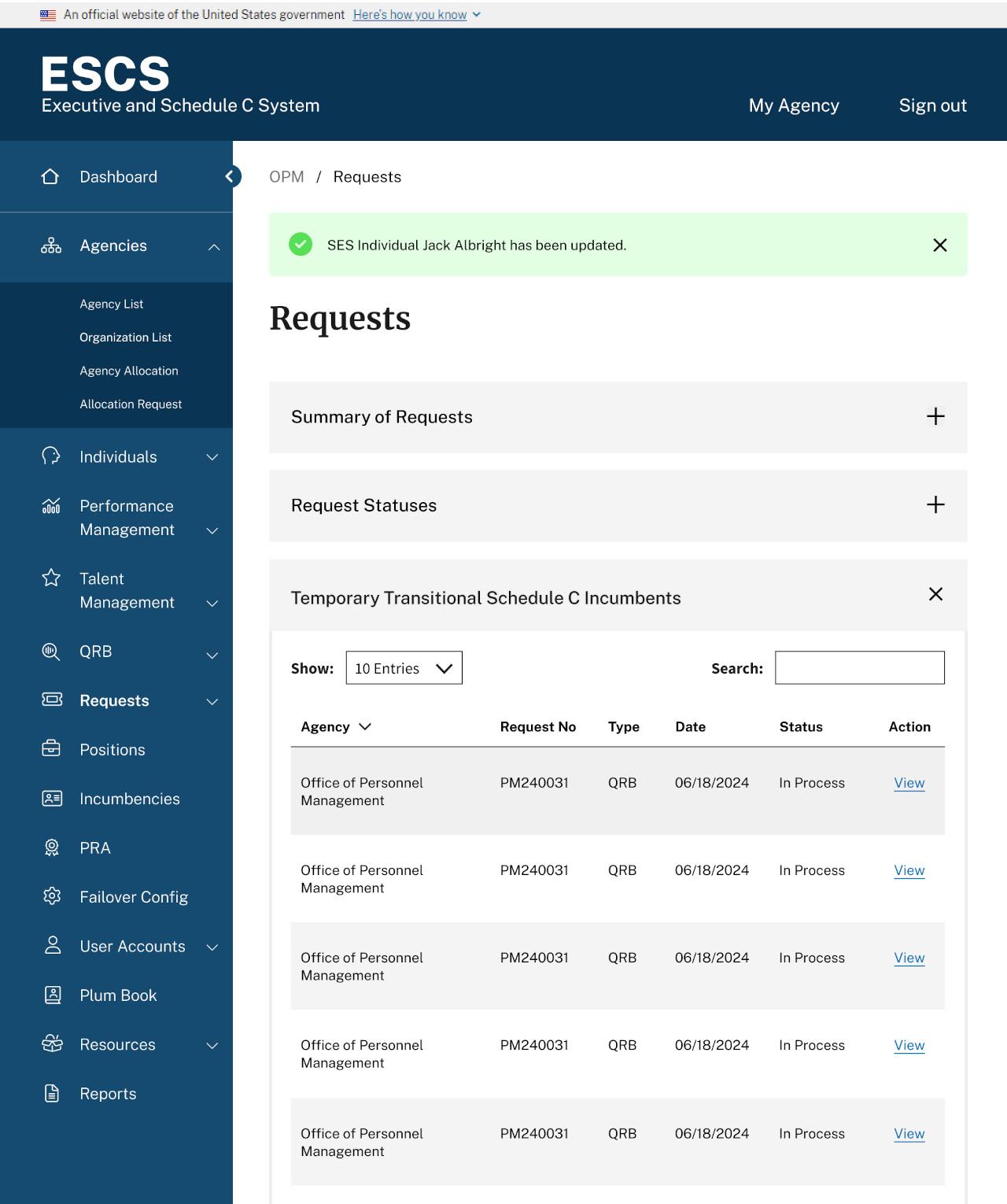
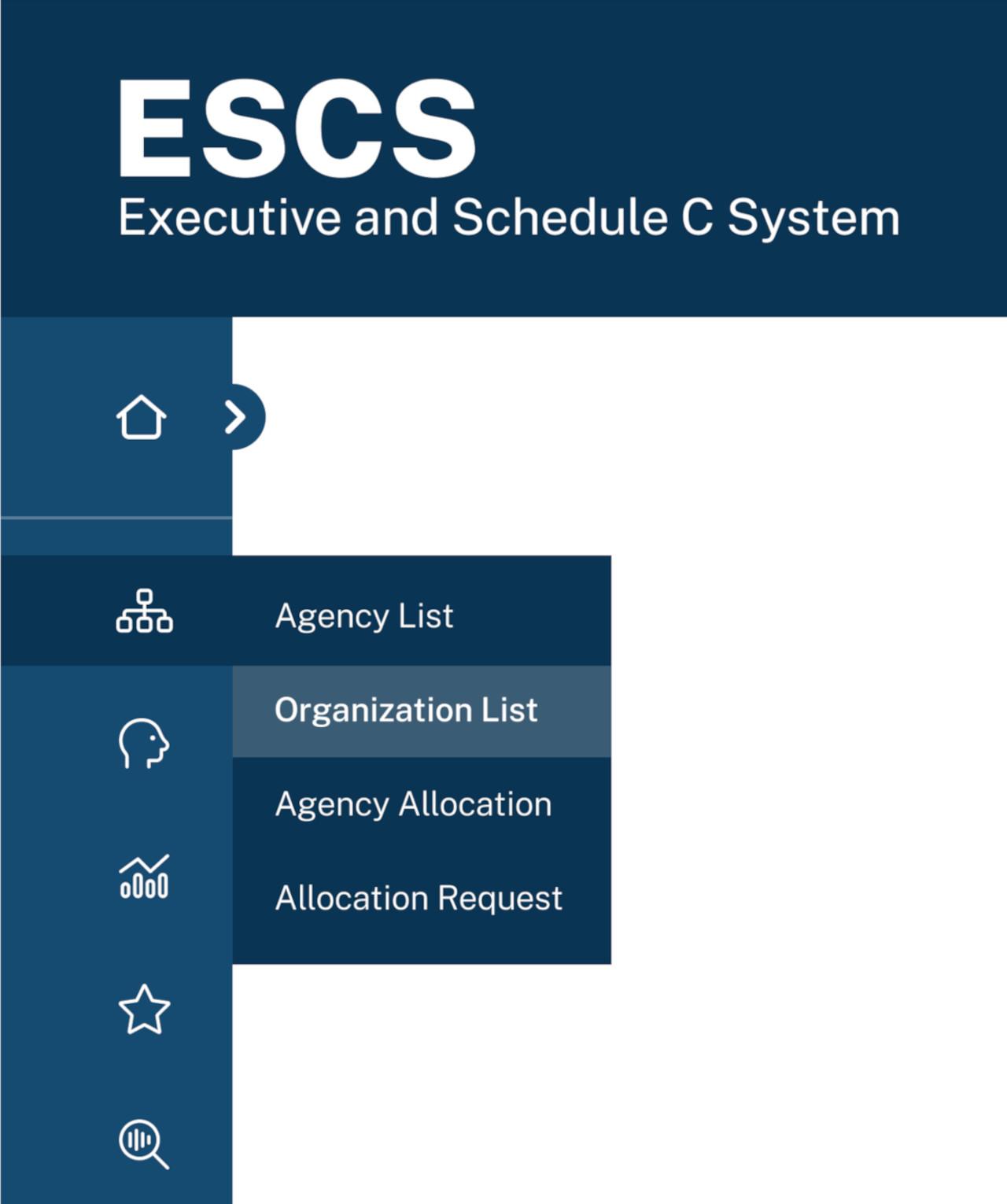
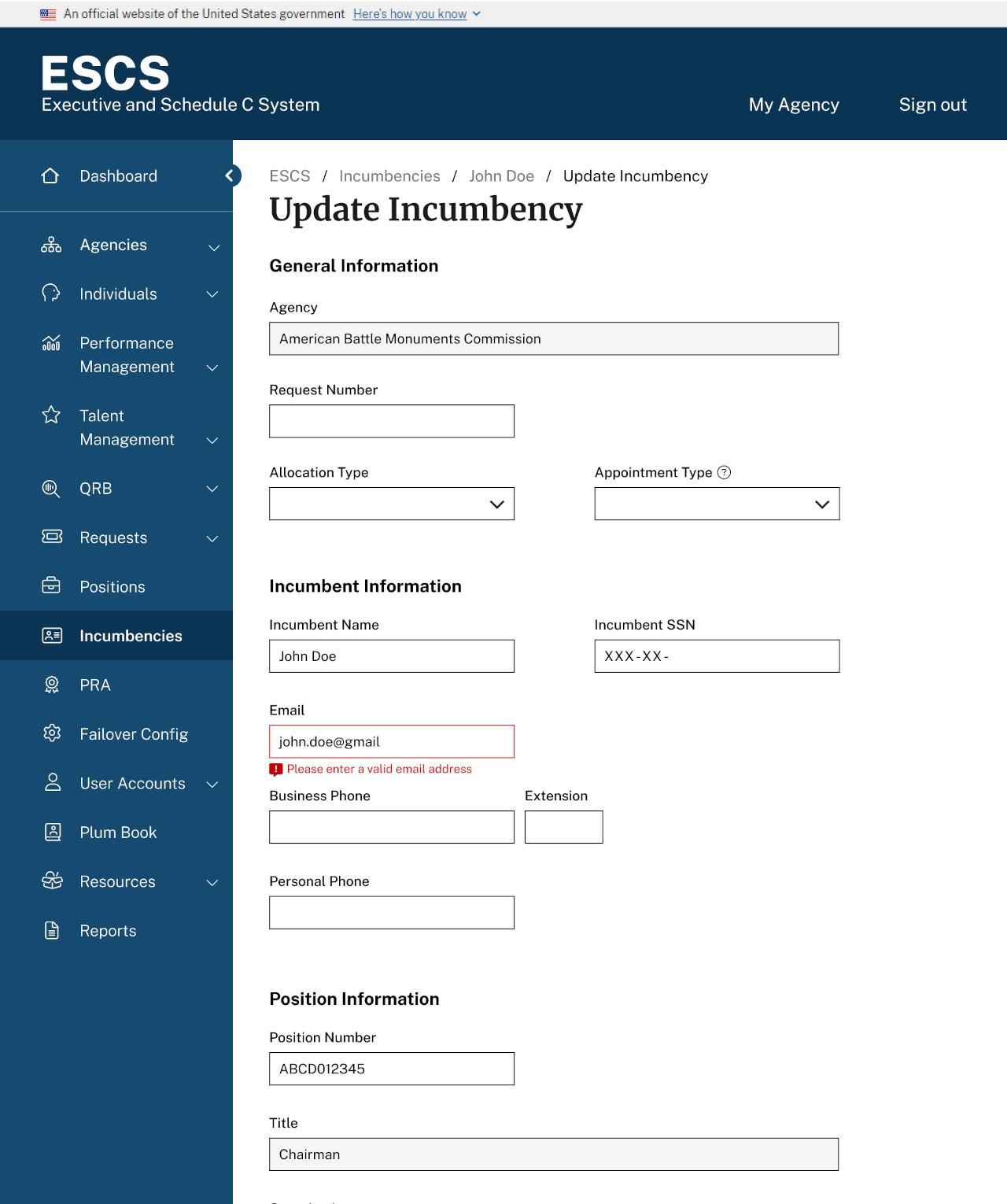
- A collapsible, client-rendered side menu that maximizes workspace for primary tasks while maintaining consistent navigation
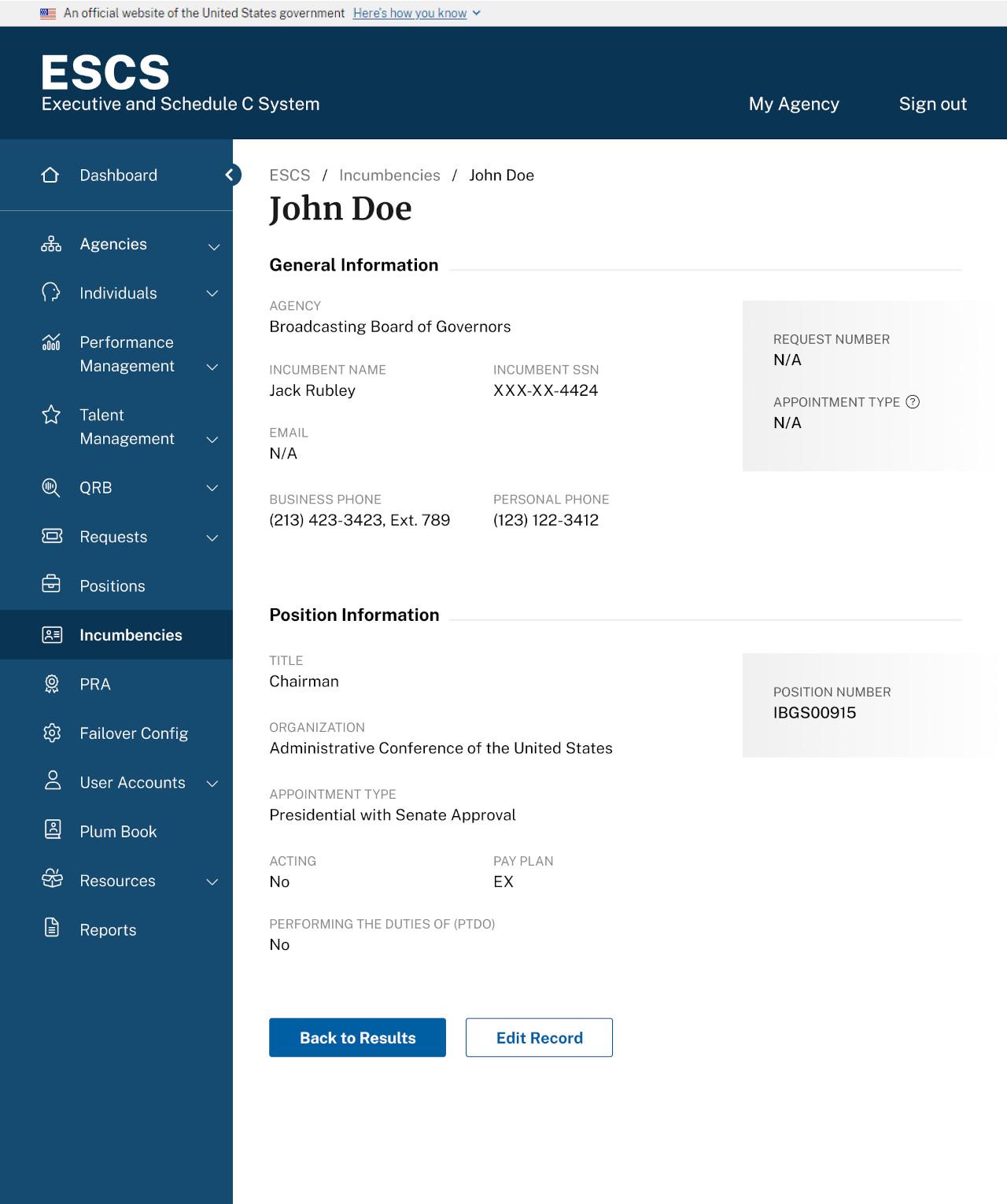
- Updated form layouts using U.S. Web Design System (USWDS) components, breaking them into smaller, more manageable sections with inline validation
- Real-time dashboard providing instant visibility into critical information
- Breadcrumbs, clearer labels & titles, and contextual help
- Responsive design elements to improve usability across devices
- Streamlined user flows for submitting, approving, and reviewing personnel actions
Results & Impact
- Faster interactions and smoother transitions through client-side navigation, enhancing overall usability
- Reduction in support requests related to data entry and core functionality
- Boosted user confidence through contextual feedback like inline validation, tooltips, and alerts
- Streamlined permissions system by replacing legacy PHP, reducing complexity and development time
- Full compliance with Section 508 accessibility standards including robust keyboard navigation support and JAWS screen reader testing